
In the world of gaming, having the right equipment can make all the difference. A gaming PC, tailored to your specific needs, not only enhances performance but also elevates your gaming experience. Whether you’re a casual gamer or a competitive player, understanding how to build your own gaming PC is essential. This guide will walk you through the process, from choosing the right components to assembling them effectively.
Understanding Your Needs
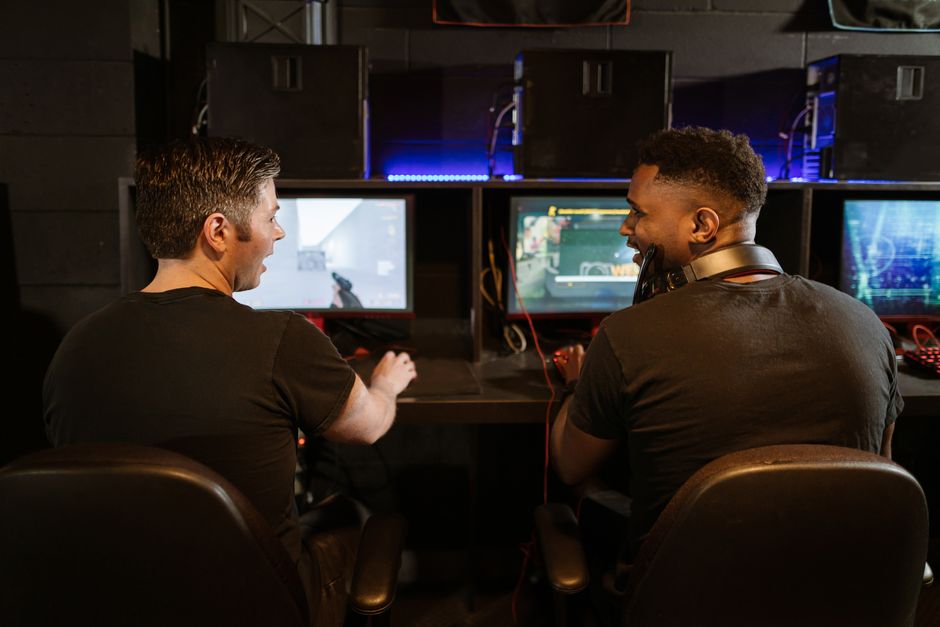
Before diving into the technical specifications of each component, it’s crucial to assess your gaming needs. Are you primarily playing AAA titles, or do you enjoy indie games? Knowing your gaming style helps in determining the necessary hardware.
For instance, if you plan to play demanding games like Cyberpunk 2077, investing in a powerful CPU and GPU is necessary. Conversely, casual games may not require the latest and greatest hardware. Understanding your needs allows you to allocate your budget effectively.
Another aspect to consider is future-proofing your setup. Technology evolves quickly, and investing in components that can handle future games will save you from frequent upgrades. Aim for a balance between current needs and future requirements.
Choosing the Right Components
Building a gaming PC involves selecting various components, each with its own role. Here’s a breakdown of the essential parts:
1. CPU (Processor): The CPU is the brain of your PC. For gaming, a multi-core processor, such as an AMD Ryzen 5 or Intel Core i5, is often recommended. These CPUs provide sufficient power for most gaming scenarios.
2. GPU (Graphics Card): The GPU is arguably the most critical component for gaming performance. High-end models like the NVIDIA GeForce RTX 3070 or AMD Radeon RX 6800 will ensure high frame rates and stunning visuals. Always check compatibility with your CPU to avoid bottlenecks.
3. RAM (Memory): Modern games require at least 16GB of RAM. Opt for high-speed RAM to enhance performance, particularly in multitasking scenarios.
4. Storage: Solid State Drives (SSD) significantly improve load times compared to traditional Hard Disk Drives (HDD). A combination of both can provide a balance between speed and storage capacity.
5. Motherboard: The motherboard connects all components, so ensure it’s compatible with your CPU and has enough slots for future upgrades.
Assembling Your Gaming PC
Once you have all your components, it’s time to assemble your gaming PC. This process can seem daunting, but with careful steps, it becomes manageable.
Begin by preparing your workspace. Make sure you have a clean, static-free environment. Gather all necessary tools, especially a screwdriver. Start by installing the CPU onto the motherboard, followed by the RAM and cooler. Then, mount the motherboard into the case.
Next, install the power supply and connect it to the motherboard and components. Finally, place the GPU into its designated slot and connect the required power cables. Make sure to double-check all connections before powering on your new system.
Installing the Operating System and Drivers
With your gaming PC assembled, the next step is to install the operating system. Most gamers prefer Windows due to its extensive game library and support. Create a bootable USB drive and install Windows by following the on-screen instructions.
After installation, ensure to update all drivers, especially for your GPU, to optimize performance. You can find the latest drivers on the manufacturer’s website. Additionally, consider installing monitoring software to keep an eye on your system’s performance and temperatures.
Maintaining Your Gaming PC
Once your gaming PC is operational, maintaining it is key to its longevity. Regularly clean dust from components, as dust buildup can lead to overheating. Monitor temperatures using software tools and ensure good airflow within the case.
Additionally, keep your software updated and perform regular maintenance checks. This includes checking for malware, defragmenting your HDD if you’re using one, and ensuring your SSD has enough free space for optimal performance.
Investing time in maintaining your gaming PC not only enhances performance but also extends its lifespan, ensuring you get the most out of your investment.
Conclusion
Building your own gaming PC can be a rewarding experience that enhances your gaming journey. By understanding your needs, choosing the right components, and assembling them carefully, you can create a system that caters to your gaming style. Don’t forget to maintain your setup for continued performance. For those looking to streamline the building process, utilizing a dedicated gaming PC builder can provide valuable resources and options.